Not every matter is a fight. Brindlecote Consulting agrees to contract on Calderbrook’s own template for data engineering services, and the draft comes back from review with nothing outside the playbook. The counsel could reasonably think she is done. She isn’t allowed to be: the agreement is worth US$1.22 million, the company’s approval controls refer anything above an illustrative US$250,000 to the General Counsel, and the person who submits a matter can never be the person who approves it.
In short
- Nothing blocks; one control refers. Every blocking control passes. The value control (an illustrative US$250,000 threshold) refers the matter to the General Counsel.
- Four eyes is enforced, not suggested. The counsel who submitted can’t approve; the button is disabled for her and the API refuses it.
- The supervisor agent prepares the submission; the counsel submits. No agent submits, approves or signs.
- The decision record will freeze the facts. When the General Counsel decides, every control’s outcome and every finding’s position are kept with the decision.
The situation
The matter is CTR-2026-000014 on InsightContracts’ demo data, a fictional company,
Calderbrook Systems, Inc. It was opened from intake request REQ-0030 (“Please use our
template”) for the Operations team. The supplier will process personal data for Calderbrook.
| Fact | On the matter |
|---|---|
| Contract | Master Services Agreement, Brindlecote Consulting LLC (CB-MSA-0068) |
| Paper and role | Calderbrook’s template; Calderbrook buys |
| Value | US$1,220,000 over the term (US$610,000 a year); initial term 24 months |
| Draft | Calderbrook template draft v1, 12 clauses read, each with page and line |
| Playbook result | 11 clauses at the preferred position; the auto-renewal notice (60 days) within the fallback |
| Personal data | DPA attached as Exhibit C and referenced in clause 6.1 (p.1, l.32) |
| Open deviations | None |
| Submitted by | aisha.raman@calderbrook.example, “Within the playbook; ready for approval.” |
Liability is capped at twelve months of fees (p.2, l.3), governing law is New York (p.2, l.24), payment is at forty-five days (p.1, l.17) and Calderbrook can terminate for convenience on thirty days’ notice (p.2, l.10). It is, as review goes, a clean draft.
Why clean drafts still need a second person
- Value is a risk of its own. A large commitment can be perfectly drafted and still be one the company’s senior lawyer should see.
- “Clean” is the reviewer’s word. A second person who didn’t do the review is the only check on the review itself.
- Approval authority drifts. If the rule lives in a policy document, it is applied unevenly; if it lives in the workflow, it is applied every time.
- Later, someone will ask. An auditor, a board committee or a successor will want to know who approved it, on what draft, and what the controls said that day.
The ten approval controls
Approval routing lives in Rules Studio as ten approval controls. Six block approval outright; four refer it to the General Counsel. They are evaluated on the matter’s facts every time the matter is viewed, submitted or decided.
| Control | Outcome when it fires | On CTR-2026-000014 |
|---|---|---|
| A walk-away position is open | Block | Passes |
| High-severity deviations open | Block | Passes |
| Deviations open (any severity) | Block | Passes |
| Personal data without a DPA | Block | Passes: the DPA is Exhibit C |
| Assignment conflicts with the parent agreement | Block | Passes: no parent |
| Exhibits referenced but not attached | Block | Passes: Exhibits B and C attached |
| Uncapped liability needs the General Counsel | Refer | Passes: capped at 12 months’ fees |
| Positions the playbook reserves to the General Counsel | Refer | Passes: nothing accepted |
| Governing law outside the playbook | Refer | Passes: New York |
| High-value contract (illustrative threshold: US$250,000) | Refer | Fires: US$1,220,000 |
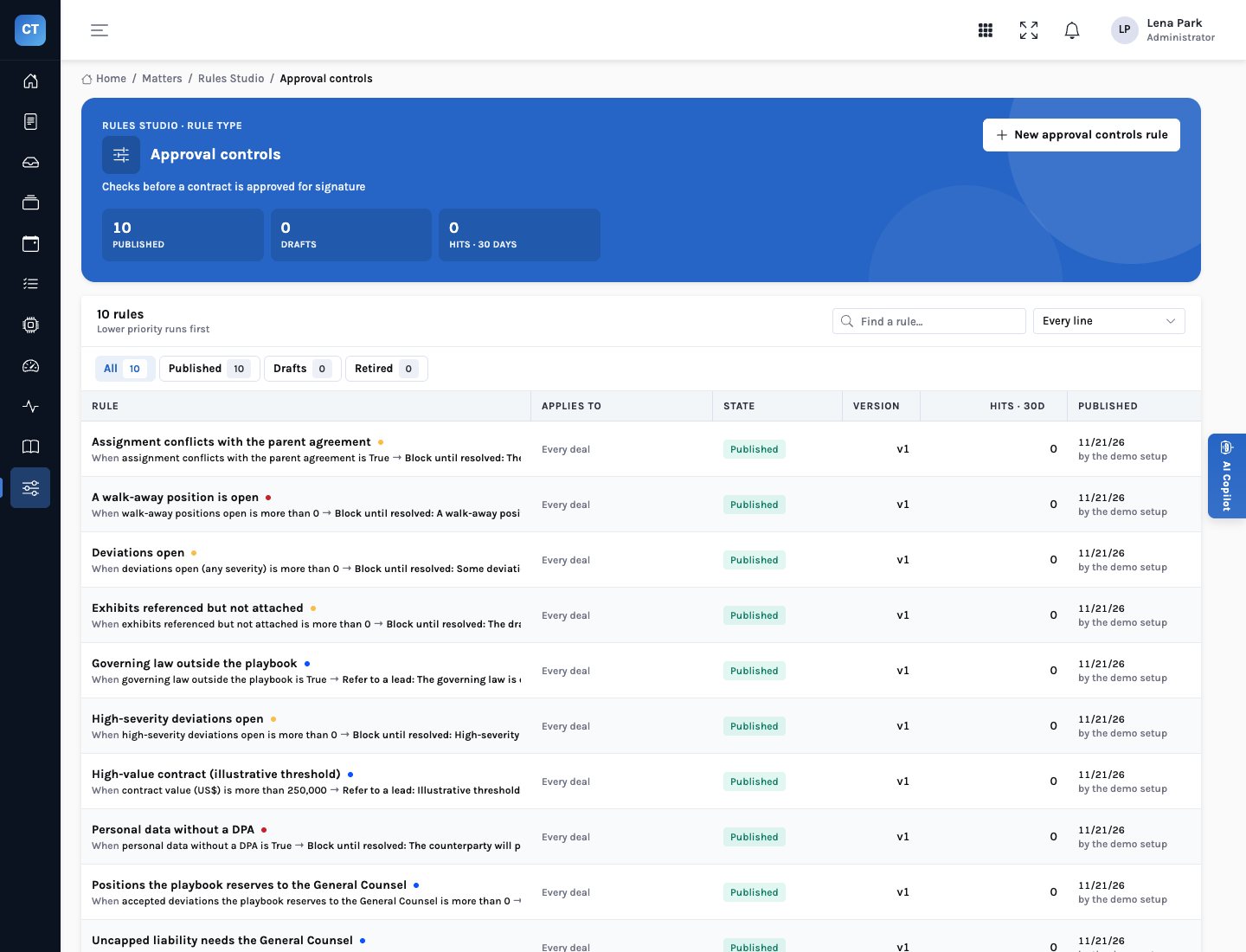
Block stops the matter; refer chooses who approves it. Four eyes applies either way.
How the matter reached the General Counsel
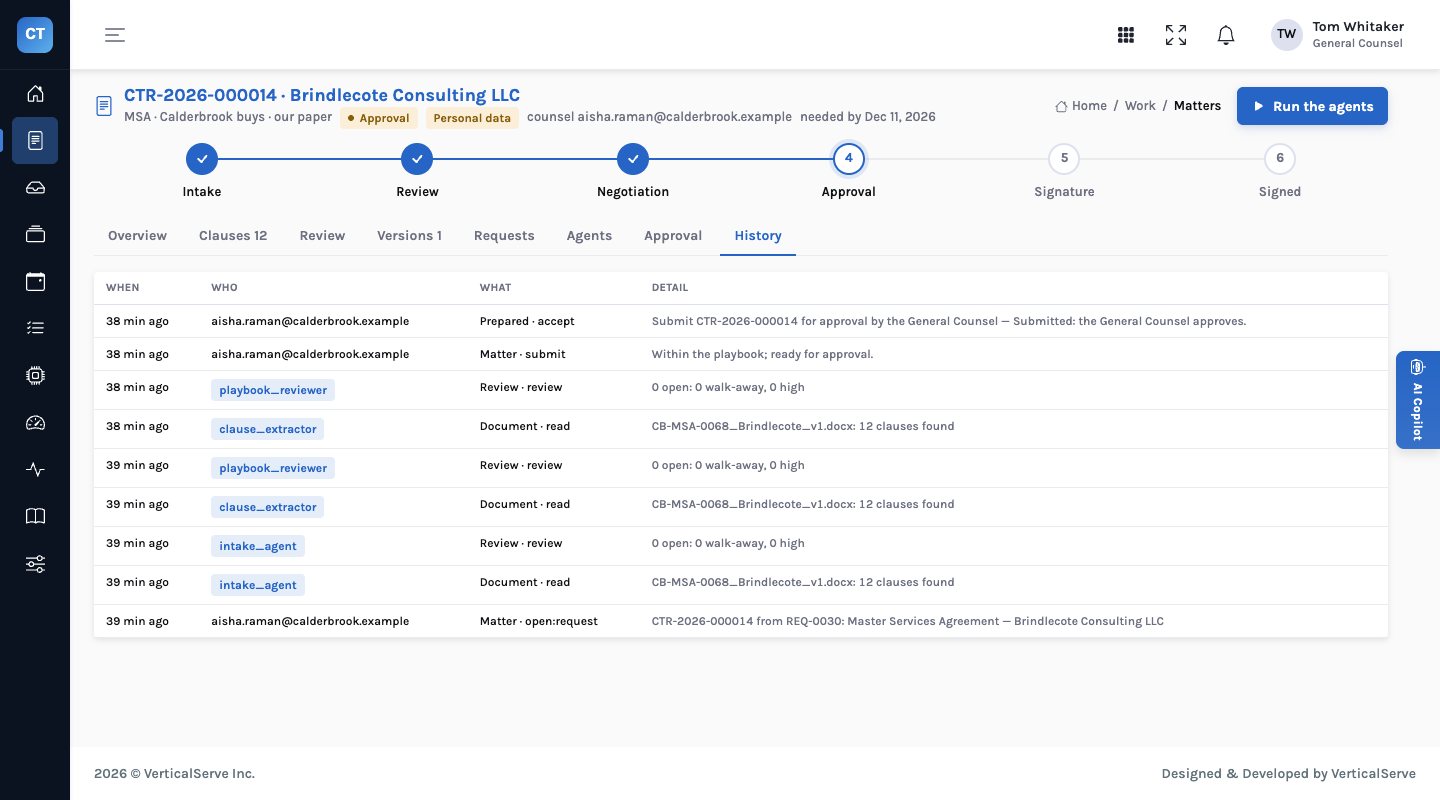
After review, the supervisor agent ran the approval controls and prepared a decision for the counsel: “Submit CTR-2026-000014 for approval by the General Counsel.” The counsel accepted it with the note “Within the playbook; ready for approval.” Accepting is the counsel’s act: the history records her as the one who submitted. The matter moved to the Approval stage and onto the General Counsel’s home page.
Signed in as the General Counsel, Tom Whitaker sees the matter at the top of “What needs me”, and on the Approval tab: nothing blocks approval; the General Counsel approves, because of the illustrative threshold; and four eyes, submitted by the counsel. For him the Approve button is live. For the counsel who submitted it, the same button is disabled with “someone else approves.”
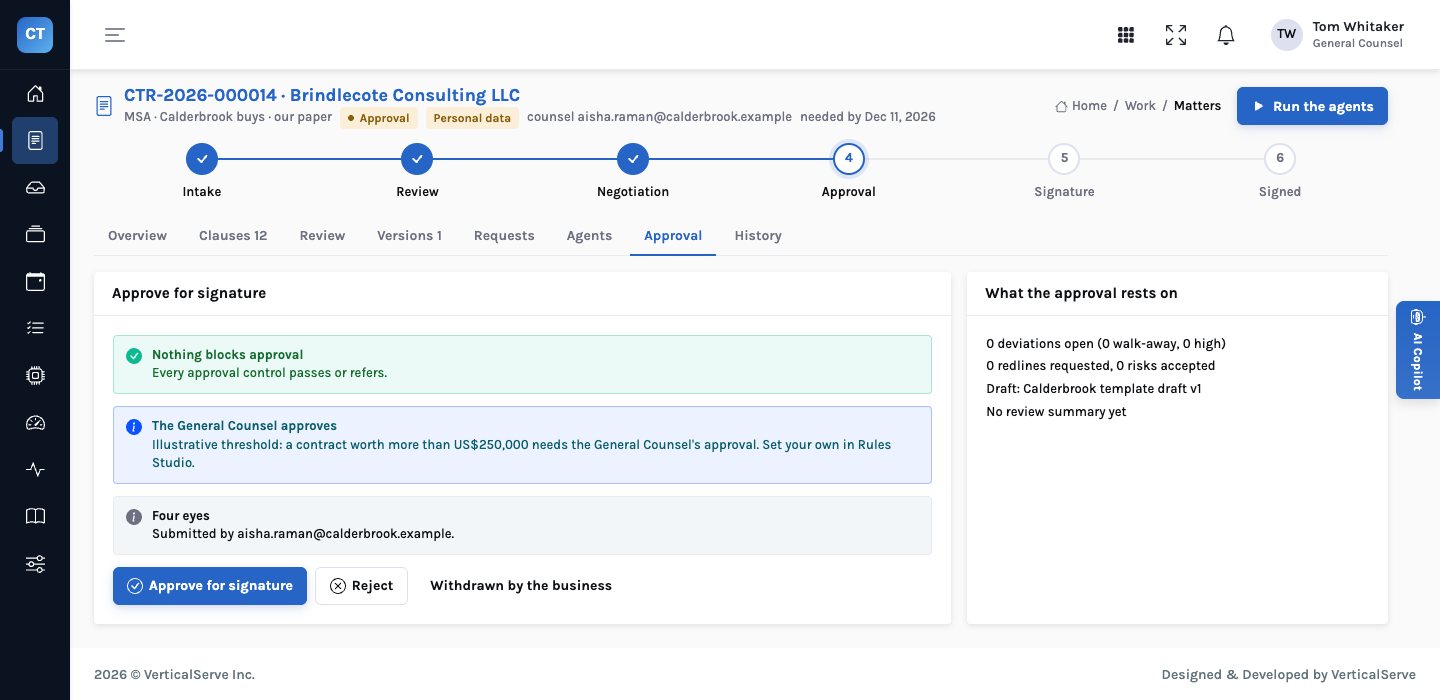
At the time of writing, the demo matter is waiting on that decision; we haven’t taken it for him.
What the approve button checks
| Check | If it fails |
|---|---|
| The person deciding is a person, not an agent | “Approving a contract is a person’s call.” |
| No blocking control fires | The blocking reasons, in full |
| The matter has been submitted | “Submit the matter for approval first; another person then approves it.” |
| The approver isn’t the submitter | “Four eyes: the person who approves can’t be the person who submitted it.” |
| A referred matter is approved by the General Counsel (a lead or administrator role) | “This matter needs the General Counsel’s approval: …” with the referring reasons |
| A rejection has a reason | “Say why the matter is rejected.” |
These are enforced by the API, not only hidden in the screen, so a script or an agent calling the API meets the same rules as a person clicking.
The decision record
When the General Counsel approves, rejects or records the matter as withdrawn, InsightContracts writes a decision record. It keeps the verdict and who signed it off, the matter, the submitter, the draft file and version that was approved, every finding that wasn’t at the preferred position with its position, severity, resolution, note and who resolved it, and every approval control’s outcome and reason as it evaluated at that moment. If the controls are changed next quarter, this record still shows what they said when the decision was taken.
The step marked x is refused by the API: the submitter can’t approve her own submission.
Who does what
12 clauses; 11 preferred, 1 within the fallback; nothing open.
Nothing blocks; the value control refers to the General Counsel. Prepares the submission.
Accepts the prepared submission with a note. She is now the submitter.
Not the submitter. Rejection needs a reason.
When the executed copy is back with both signature blocks signed, the contract joins the repository and its obligations the tracker.
What it means for each audience
For the General Counsel
You see what you must see, and only that: matters the controls refer to you, with the reason. The rest are approved by a second counsel without you.
The threshold is yours to set in Rules Studio.
For legal operations
Routing is automatic and explainable: the reason is on the matter, in words. No one has to remember who approves what.
A submitter can’t approve her own work, however senior.
For the board
For any signed contract, the company can show who approved it, on which draft, and what the controls said at the time.
That answer doesn’t depend on anyone’s memory.
What to be careful about
- The threshold is illustrative. US$250,000 is the demo’s setting for a fictional company. Pick yours from your delegation of authority.
- Clean doesn’t mean commercially right. The playbook checks terms, not whether the company should buy the services. The approver should still ask.
- Approval isn’t signature. Approving moves the matter to Signature; signing is the signatories’, and InsightContracts records it from the executed copy.
The person who did the work isn’t the person who approves it.
Controls decide whether a matter can be approved and by whom. People approve. The decision record remembers what everyone knew at the time.